

Reimagining a City Parking App
Reimagining a City Parking App

Victoria's city parking app worked, but it wasn't enjoyable to use. Too much text, menus that didn't quite make sense, and simple tasks that took more steps than they needed to. I decided to redesign it from scratch, just to see what a better version could look like. This is a concept project, not a client brief. But I treated it like one. Scroll to the bottom of the page for a loom walk-through.
Victoria's city parking app worked, but it wasn't enjoyable to use. Too much text, menus that didn't quite make sense, and simple tasks that took more steps than they needed to. I decided to redesign it from scratch, just to see what a better version could look like. This is a concept project, not a client brief. But I treated it like one. Scroll to the bottom of the page for a loom walk-through.


Client
Self-directed
Deliverables
Design system Fully built interactive prototype (vibe coding + AI-assisted) Custom loading animation Map features (find your car + future concept)
Year
2026
Role
Designer
Client
Self-directed
Deliverables
Design system Fully built interactive prototype (vibe coding + AI-assisted) Custom loading animation Map features (find your car + future concept)
Year
2026
Role
Designer

The Existing App
Reflection
Victoria's city parking app worked, but it wasn't enjoyable to use. Too much text, menus that didn't quite make sense, and simple tasks that took more steps than they needed to. I decided to redesign it from scratch, just to see what a better version could look like. This is a concept project, not a client brief. But I treated it like one.
Victoria's city parking app worked, but it wasn't enjoyable to use. Too much text, menus that didn't quite make sense, and simple tasks that took more steps than they needed to. I decided to redesign it from scratch, just to see what a better version could look like. This is a concept project, not a client brief. But I treated it like one.
This one reminded me that removing things is usually more powerful than adding them. And it sold me on using AI earlier in the process, not to replace the thinking, but to speed up the part where you're testing whether the thinking actually works.

AI-Workflow Integration
The Existing App
Once I had the UX mapped out, I used AI tools to build a fully interactive prototype. Honestly, it changed how I work. Being able to test real interactions early meant I could refine things based on how they actually felt to use, not just how they looked in a static frame.
Victoria's city parking app worked, but it wasn't enjoyable to use. Too much text, menus that didn't quite make sense, and simple tasks that took more steps than they needed to. I decided to redesign it from scratch, just to see what a better version could look like. This is a concept project, not a client brief. But I treated it like one.
UX Strategy
AI-Workflow Integration
The whole redesign came down to cutting friction. Simplified flows for finding parking, starting a session, and managing active time. Anything that wasn't directly helping the user do those things got cut. I also left room for the city to eventually add things like live spot availability on the map, when the infrastructure can support it.
Once I had the UX mapped out, I used AI tools to build a fully interactive prototype. Honestly, it changed how I work. Being able to test real interactions early meant I could refine things based on how they actually felt to use, not just how they looked in a static frame.


Design System
UX Strategy
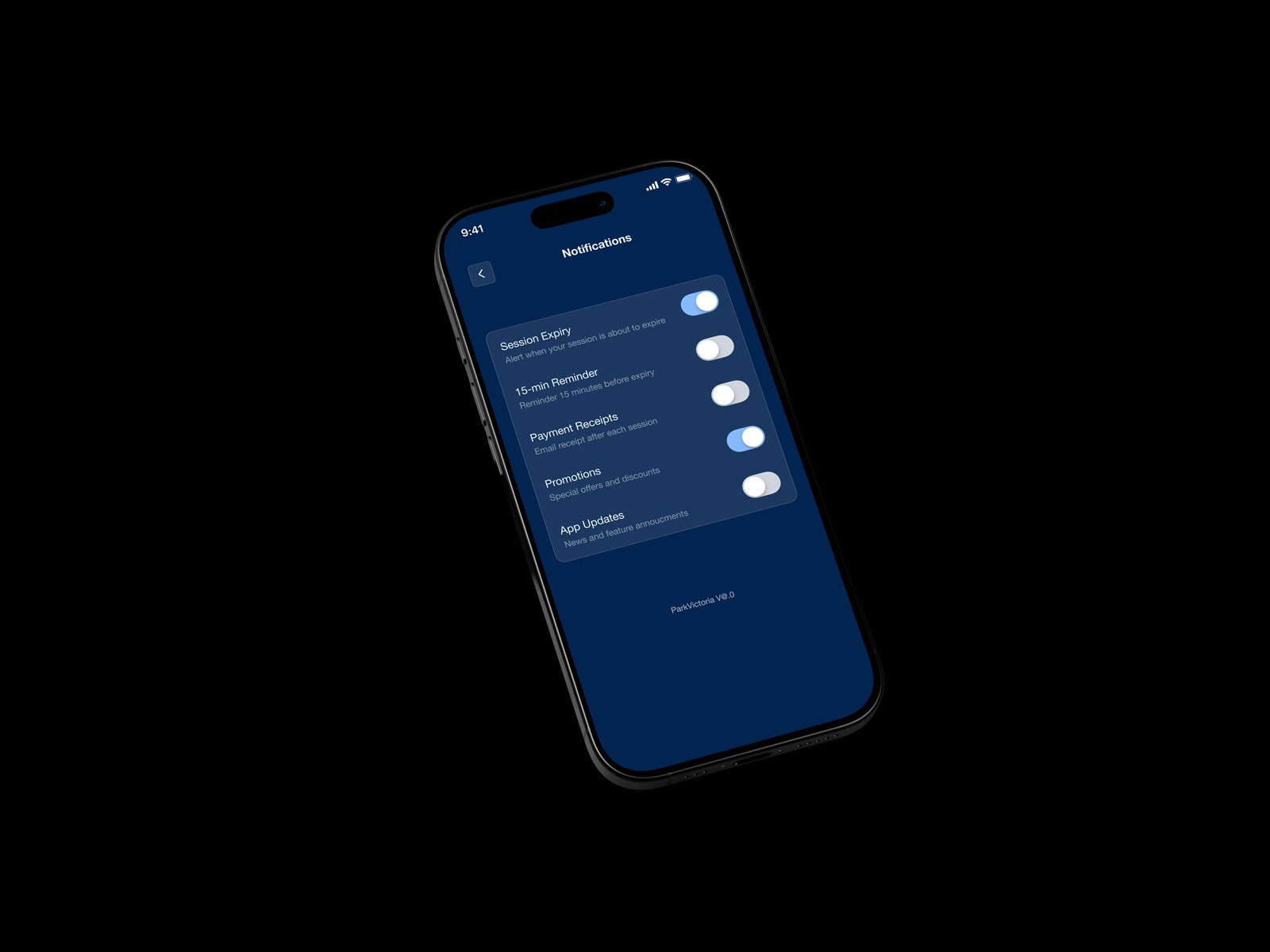
I built a proper design system to keep everything consistent and make the prototyping process faster. Clean palette, reusable components, structured enough that it could actually be handed off if this ever became a real project.
The whole redesign came down to cutting friction. Simplified flows for finding parking, starting a session, and managing active time. Anything that wasn't directly helping the user do those things got cut. I also left room for the city to eventually add things like live spot availability on the map, when the infrastructure can support it.


The whole redesign came down to cutting friction. Simplified flows for finding parking, starting a session, and managing active time. Anything that wasn't directly helping the user do those things got cut. I also left room for the city to eventually add things like live spot availability on the map, when the infrastructure can support it.
UX Strategy
I built a proper design system to keep everything consistent and make the prototyping process faster. Clean palette, reusable components, structured enough that it could actually be handed off if this ever became a real project.
Design System
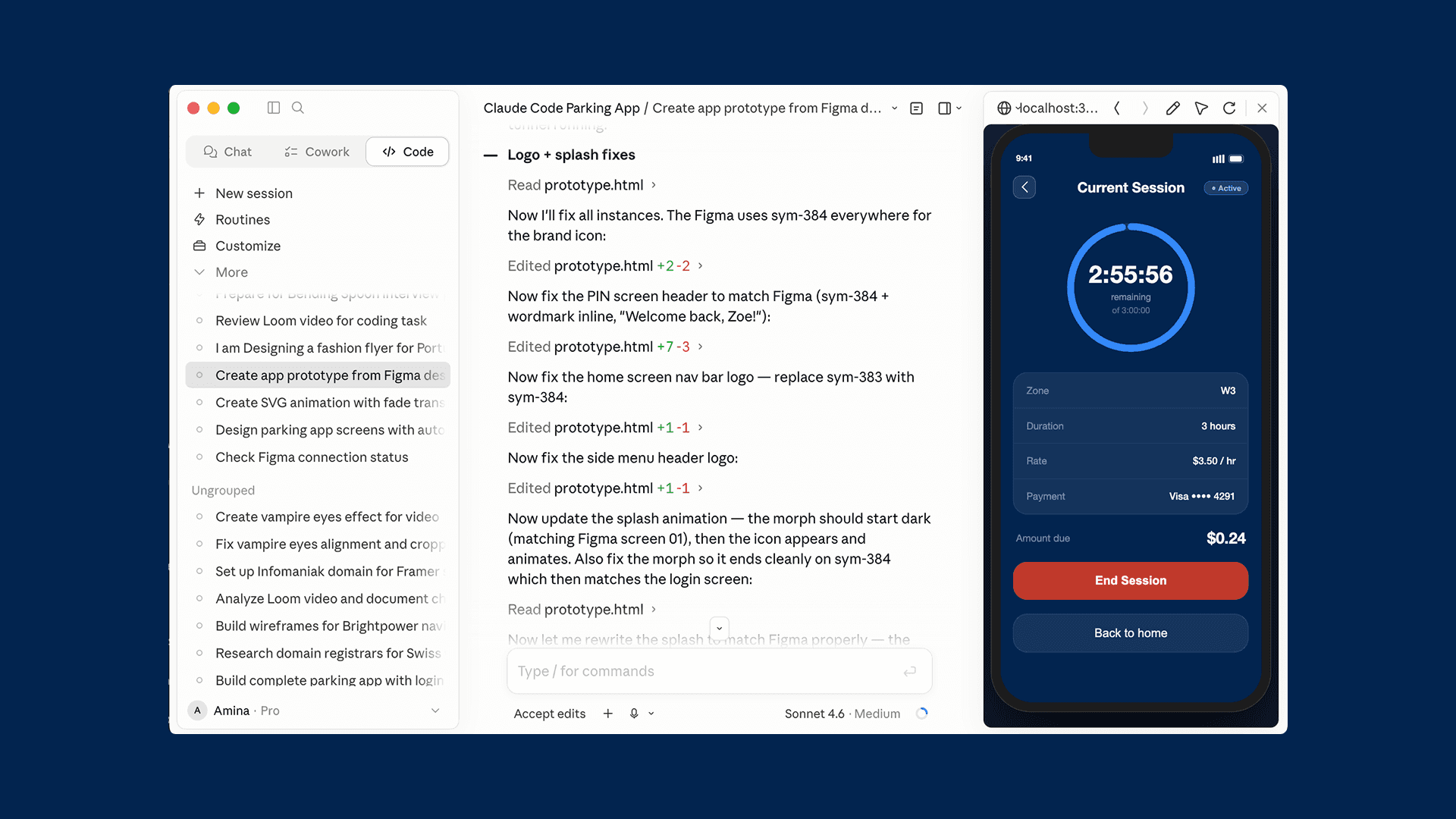
The final prototype is a fully functioning app, not a Figma clickthrough. I designed the screens then built them into a working prototype using Claude Code, real interactions, real map, real timer. Testing actual behaviour instead of simulated clicks changed how I designed. I caught things I'd never have seen in a static frame. You can view it and use it at the link in the introduction or here: https://aminaluthi.github.io/ParkVictoriaApp/
The Prototype
The original app asked too much of users upfront. Heavy text, unclear navigation, no clear sense of where to start. The redesign puts the important stuff front and center and gets out of the way.
Where we were
This one reminded me that removing things is usually more powerful than adding them. And it sold me on using AI earlier in the process, not to replace the thinking, but to speed up the part where you're testing whether the thinking actually works.
Reflection
The Prototype
Design System
The final prototype is a fully functioning app, not a Figma clickthrough. I designed the screens then built them into a working prototype using Claude Code, real interactions, real map, real timer. Testing actual behaviour instead of simulated clicks changed how I designed. I caught things I'd never have seen in a static frame. You can view it and use it at the link in the introduction or here: https://aminaluthi.github.io/ParkVictoriaApp/
I built a proper design system to keep everything consistent and make the prototyping process faster. Clean palette, reusable components, structured enough that it could actually be handed off if this ever became a real project.
Where we were
The original app asked too much of users upfront. Heavy text, unclear navigation, no clear sense of where to start. The redesign puts the important stuff front and center and gets out of the way.
Reflection
The Prototype
This one reminded me that removing things is usually more powerful than adding them. And it sold me on using AI earlier in the process, not to replace the thinking, but to speed up the part where you're testing whether the thinking actually works.
The final prototype is a fully functioning app, not a Figma clickthrough. I designed the screens then built them into a working prototype using Claude Code, real interactions, real map, real timer. Testing actual behaviour instead of simulated clicks changed how I designed. I caught things I'd never have seen in a static frame. You can view it and use it at the link in the introduction or here: https://aminaluthi.github.io/ParkVictoriaApp/
Once I had the UX mapped out, I used AI tools to build a fully interactive prototype. Honestly, it changed how I work. Being able to test real interactions early meant I could refine things based on how they actually felt to use, not just how they looked in a static frame.
AI-Workflow Integration
The Prototype
The final prototype is a fully functioning app, not a Figma clickthrough. I designed the screens then built them into a working prototype using Claude Code, real interactions, real map, real timer. Testing actual behaviour instead of simulated clicks changed how I designed. I caught things I'd never have seen in a static frame. You can view it and use it at the link in the introduction or here: https://aminaluthi.github.io/ParkVictoriaApp/
Where we were
The original app asked too much of users upfront. Heavy text, unclear navigation, no clear sense of where to start. The redesign puts the important stuff front and center and gets out of the way.
Reflection
This one reminded me that removing things is usually more powerful than adding them. And it sold me on using AI earlier in the process, not to replace the thinking, but to speed up the part where you're testing whether the thinking actually works.
Design System
I built a proper design system to keep everything consistent and make the prototyping process faster. Clean palette, reusable components, structured enough that it could actually be handed off if this ever became a real project.
The Prototype
The final prototype is a fully functioning app, not a Figma clickthrough. I designed the screens then built them into a working prototype using Claude Code, real interactions, real map, real timer. Testing actual behaviour instead of simulated clicks changed how I designed. I caught things I'd never have seen in a static frame. You can view it and use it at the link in the introduction or here: https://aminaluthi.github.io/ParkVictoriaApp/